
For operators~15s· 2 steps
Wallet & fees
Top up, see the fee schedule, and read the transaction ledger.
Vendor admin
Goal — By the end you'll understand the wallet, the flat per-job fee, and where every charge is recorded.
Step 1 of 2Check your balance & fees
 Desktop
1
Check your balance & fees
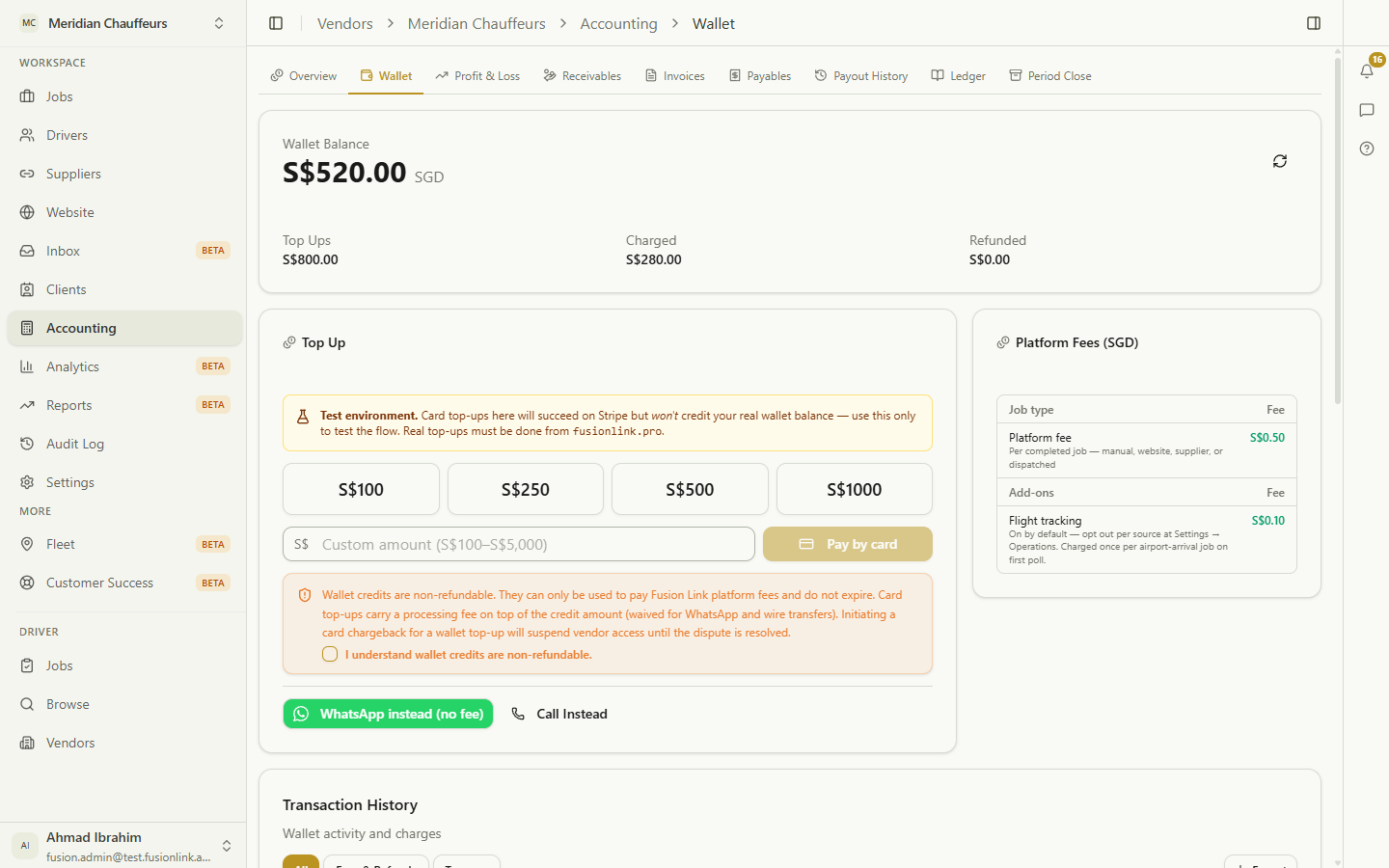
Balance plus lifetime totals (topped up, charged, refunded), top up with a preset or custom amount, and the fee schedule — a flat S$0.50 per completed job. One bill, everything else free.
Click the highlight, or use Next
Ready to try it yourself?
Set up your operation in minutes.