
For operators~20s· 2 steps
Manage your fleet
Read your roster at a glance, then open a driver's full profile.
Vendor operator
Goal — By the end you'll know how to read your roster and open a driver's full profile.
Step 1 of 2See your roster
 Desktop
1
See your roster
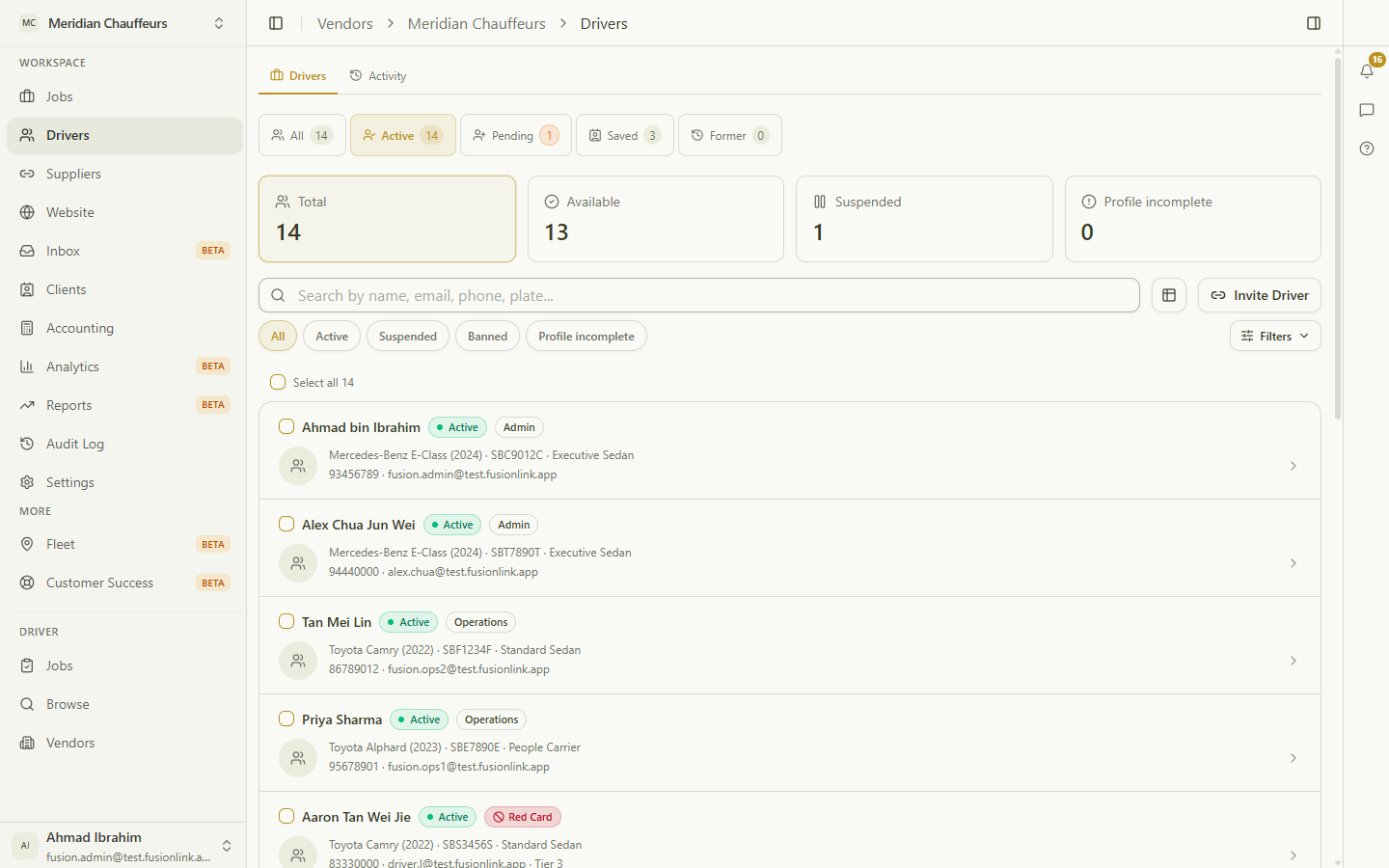
Counts up top — total, available, suspended, profile-incomplete — plus tabs for Active, Pending, Saved (off-platform contacts) and Former. Search by name, phone or plate, invite a driver, or click one to open them.
Click the highlight, or use Next
Ready to try it yourself?
Set up your operation in minutes.