
For drivers~30s· 3 steps
Run a job
Navigate, capture proof, and advance status from your phone.
Driver
Goal — By the end you'll know how to work a job end to end — navigate, capture proof, and advance status.
Step 1 of 3See your jobs
 Mobile
These screens were captured on a Singapore demo account, so the figures and places in them are Singapore's. Yours show HKD and your own locations.
1
See your jobs
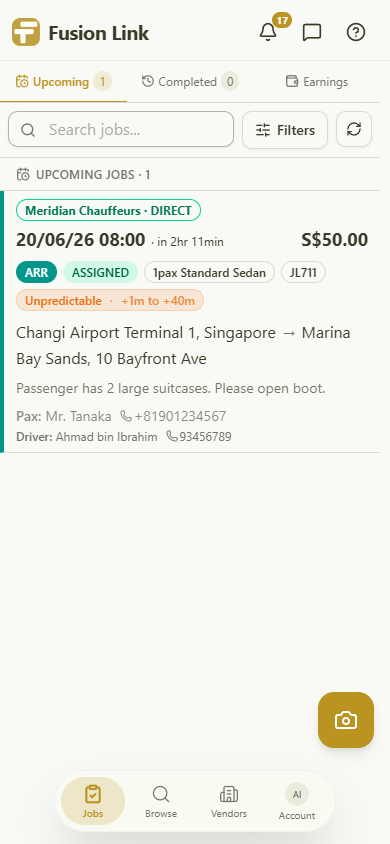
Your upcoming jobs with live flight-delay forecasts, passenger + driver contacts, and a camera button to add a checkpoint photo any time. Tap a job to open it.
Click the highlight, or use Next
Want to see it on your own jobs?
Book a call and we set up your operation with you.